
CompareMe 4.0 — The Shopping Calculator, Rebuilt
Compare prices and pack sizes offline. See exactly how much you save — or overpay. The core app is now free.
Free download · Pro optional · No ads, no tracking
New in Version 4.0
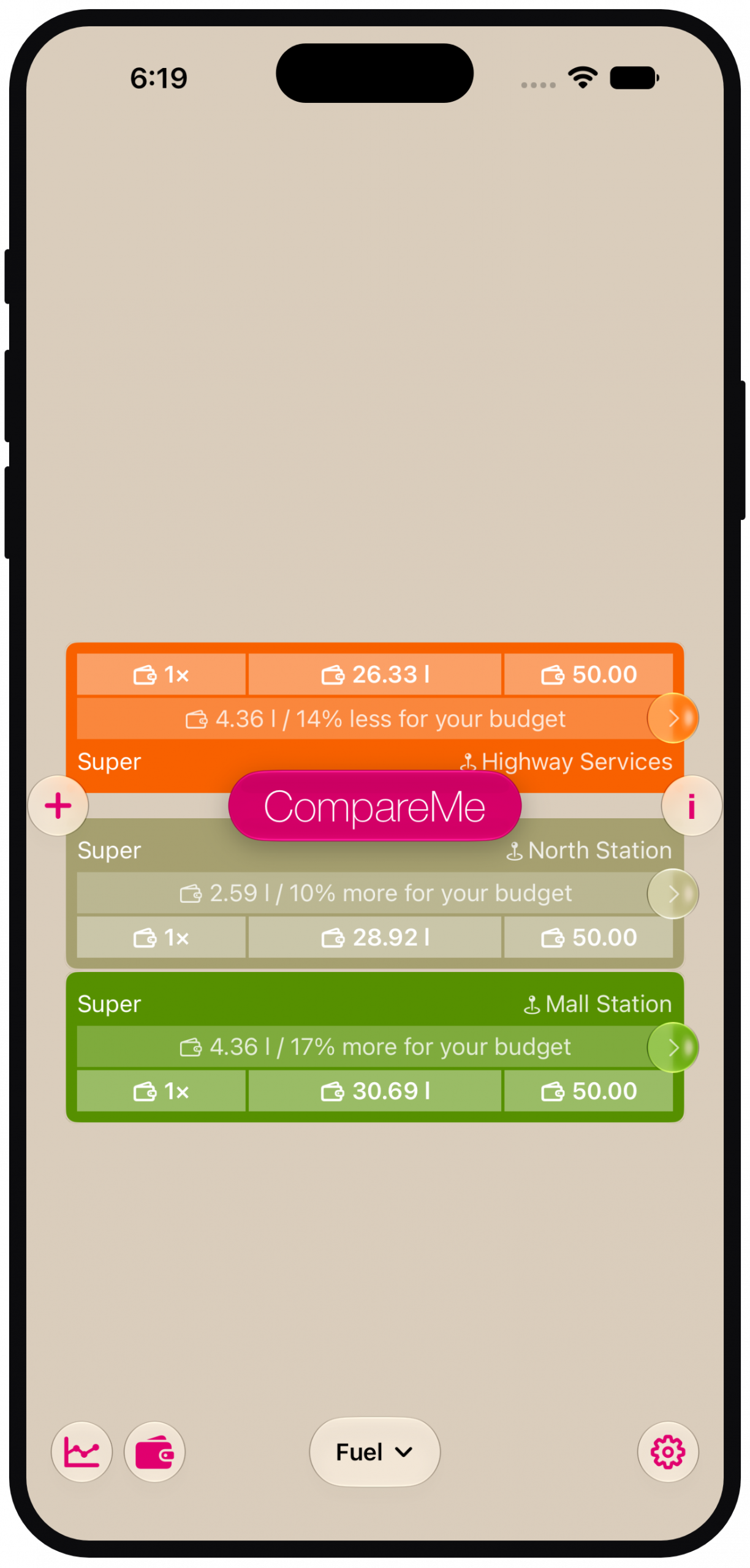
Wallet Mode
Turn any budget into an instant answer. Enter €50 — or a fuel or gift voucher — and see exactly how much product you get for your money.
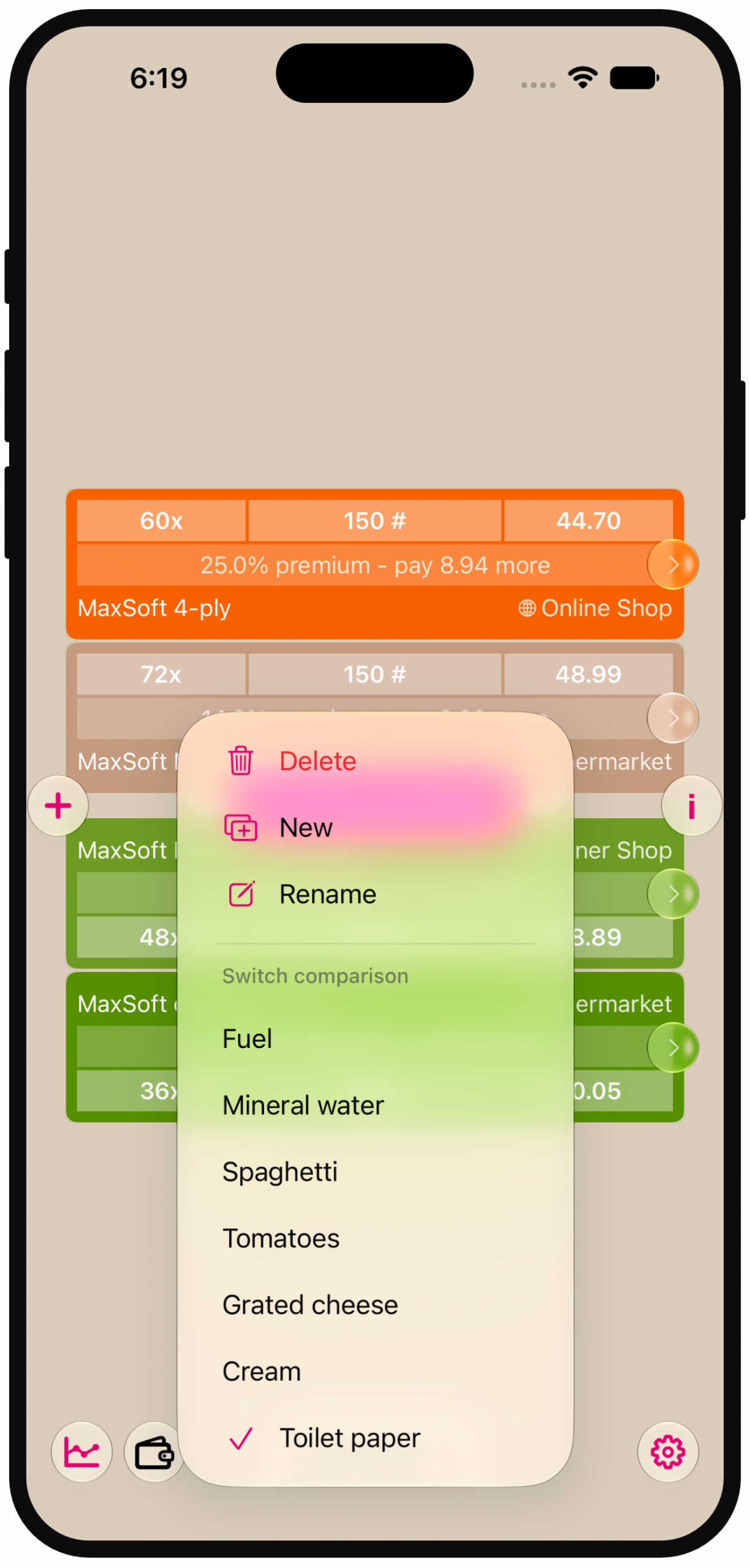
Save Your Comparisons
Keep your regular buys one tap away. Three saved comparisons for everyone, unlimited with Pro.
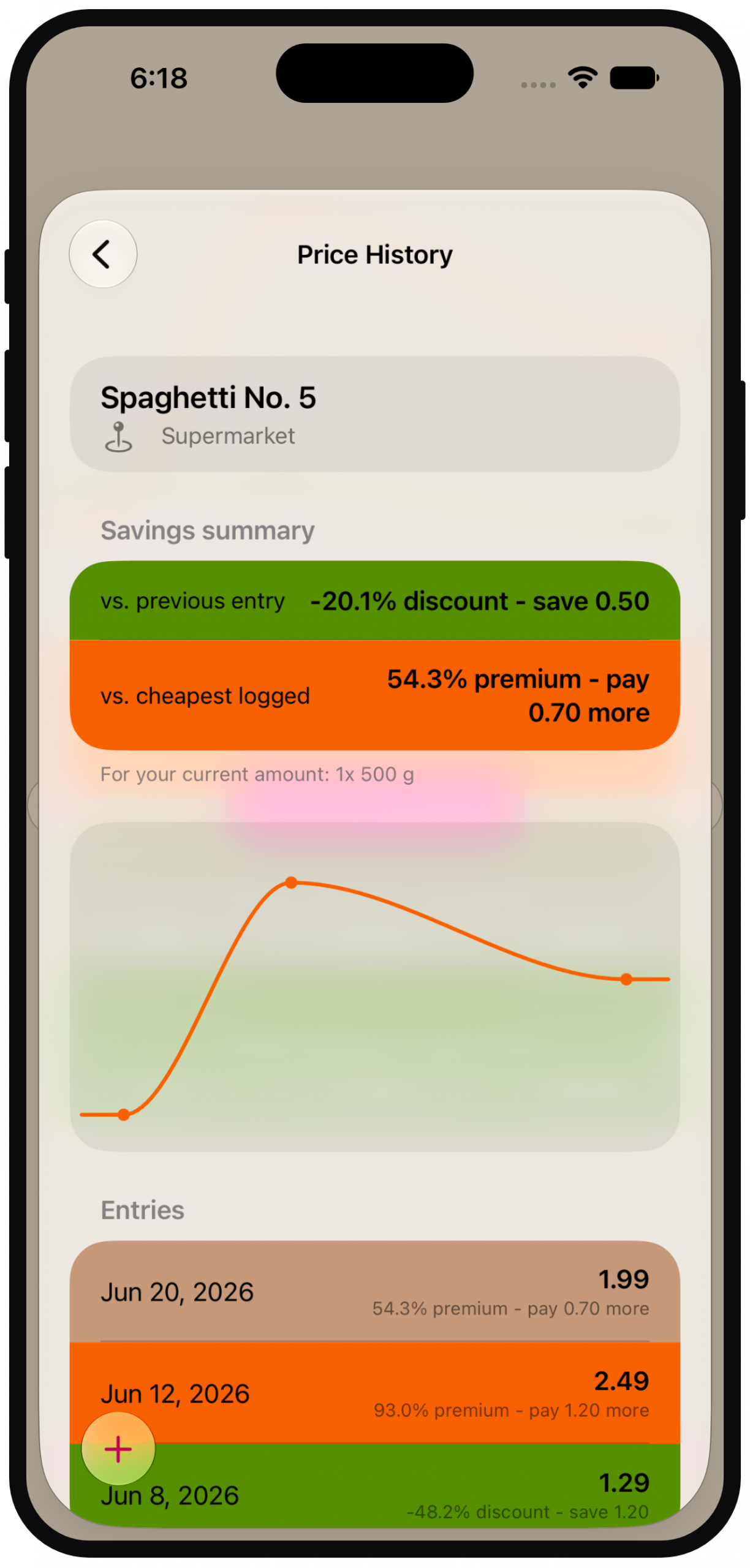
Price History (Pro)
Log prices as you shop and instantly see whether today's "deal" is really the cheapest you've seen.
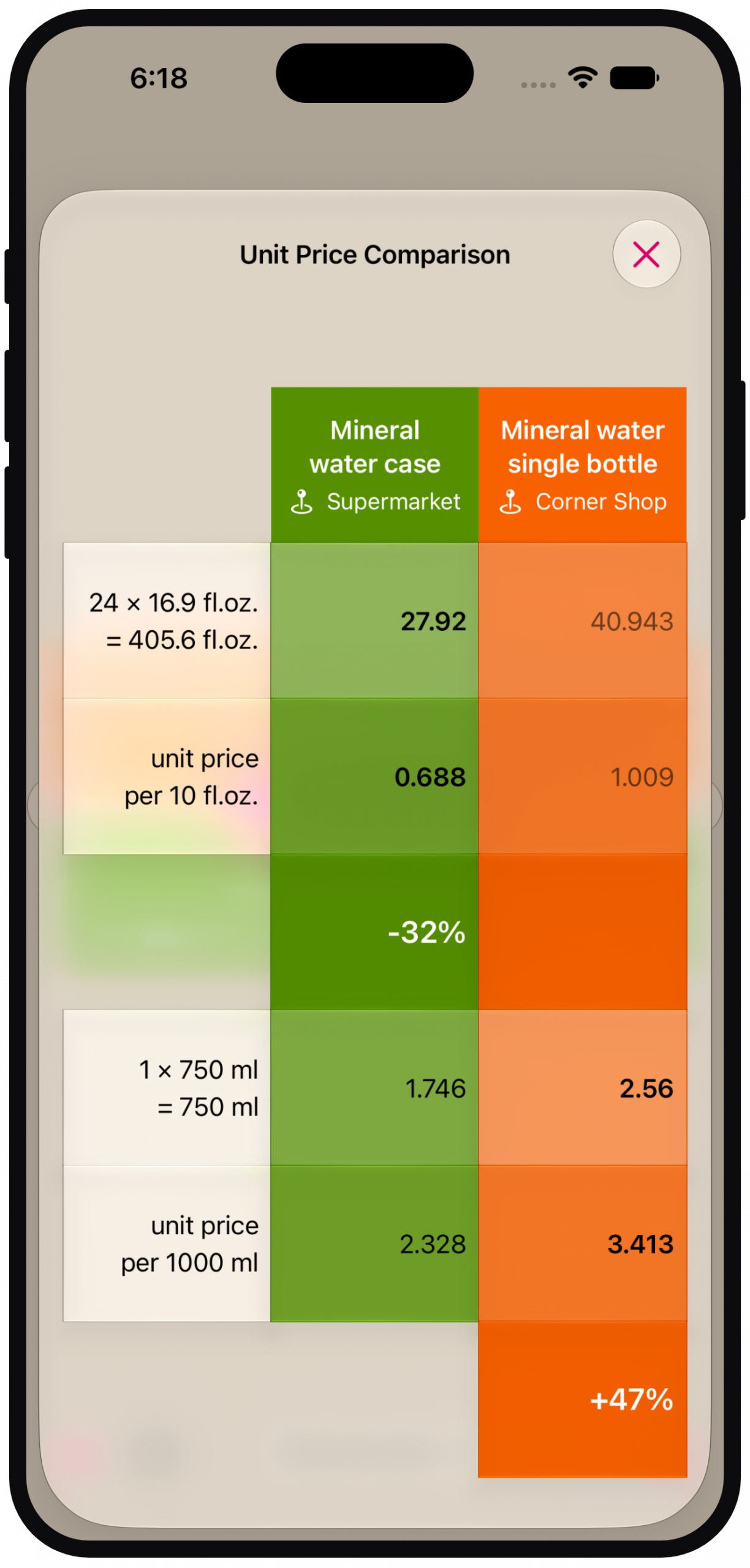
Unit Prices Everywhere
Unit prices now shown for both products on the detail screen — the fastest way to settle "which one is actually cheaper?"
For 17 Years a Paid App. Now the Core Is Free.
Since 2009, CompareMe was something you bought. With 4.0, its heart — comparing two products — is free for everyone, for the first time. CompareMe Pro adds room for your shopping routine.
CompareMe
- Price & pack-size comparison ✓
- Wallet Mode ✓
- Unit prices ✓
- 3 saved comparisons
CompareMe Pro
30-day free trial · See your local price in the App Store- Everything in Free ✓
- Unlimited saved comparisons ✓
- Price History ✓
- Lifetime at a founder's price — launch offer, ends mid-August
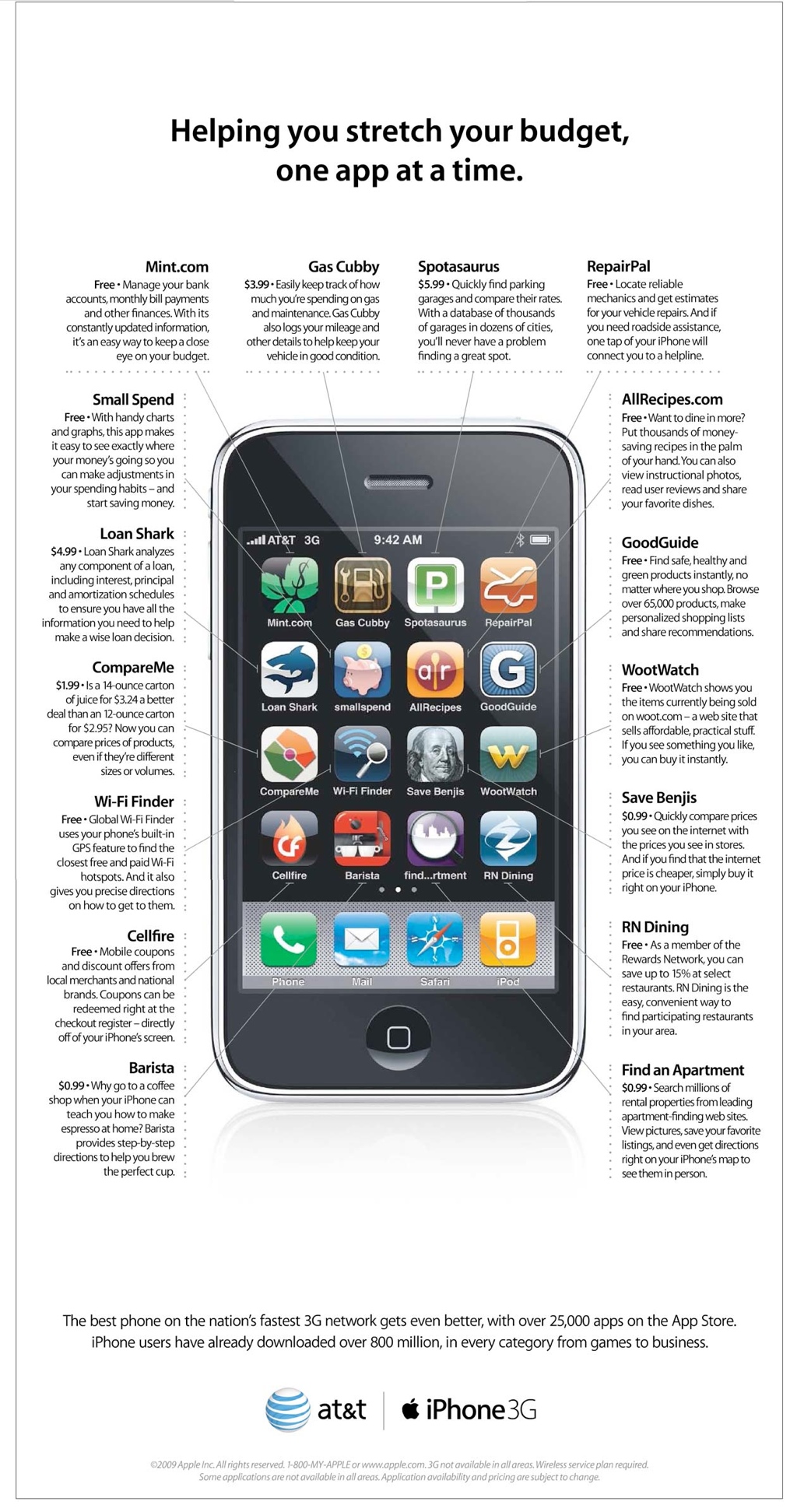
Featured by Apple in 2009. Rebuilt from Scratch in 2026.
In spring 2009, Apple featured CompareMe in its "Helping you stretch your budget, one app at a time" campaign — on the back page of The Wall Street Journal and the back cover of The New Yorker. Over 17 years, the app has sold more than 15,000 copies.
In 2015 we rewrote it in Swift. In 2026 we rebuilt it top to bottom — same stubborn idea, modern app: put two products face to face and see which is actually cheaper, and by how much.
Frequently Asked Questions
Use Wallet Mode?
- Switch to Wallet Mode and enter your budget — say, €50 for fuel or a gift voucher.
- Enter the product's price and pack size.
- CompareMe shows exactly how much you get for your money.
Save a comparison?
- Set up your comparison as usual.
- Tap save — it's one tap away next time you shop.
- Three slots are free; Pro removes the limit.
Track prices over time? (Pro)
- Log the price whenever you buy.
- CompareMe builds your personal price history per product.
- Next time a "special offer" shows up, you'll know if it really is one.
Compare products?
- Input amount, package size & price of all products you want to compare.
- Click on CompareMe and get the results.
- Rounded discount and premium are displayed in percent as well as the cash you save or pay more.
- If you want to get detailed price per unit information you can click on the details button on the right.
Set discount or premium?
- Click on the discount or premium field.
- Set the value and toggle the +/- button to switch between premium and discount.
- If you want to see the recalculated price, you can hit the recalc button.
- Finally hit the save button.
If you're comparing more than two products, keep in mind that the premium is always calculated according to the cheapest product and the discount is calculated according to the most expensive product. Therefore, setting premium & discount in these scenarios may be a confusing.
Convert price?
- Compare prices by clicking on the central CompareMe button.
- Drag the price to the price field of the other product and drop it.
- Price is converted to the other package size.
- You also can get the converted price information on the price per unit page by clicking on the detail button on the right.
Transfer package size?
- Drag the amount or package size fields to the corresponding fields of the other product and drop it.
- Amount and unit are transferred and - if the units are comparable - the price will be recalculated.
Negotiate price?
- Set the amount, unit and price of the product in item A.
- Drag and drop the amount or unit from item A to B.
- Drag and drop the price from item A to B.
- Now you can start to bargain 😉 ...
- To set a desired discount or premium just click on the 0%-field and input the value. The new price will be recalculated.
- To set a desired price, click on it an input the desired value. The new discount or premium will be recalculated.
Praised Since 2009
These reviews are from CompareMe's first year — the same idea reviewers praised then powers version 4.0 today.
"CompareMe is a handy little app for saving a little money on the products we buy everyday."
5 of 5 stars for CompareMe 1st Edition
"The entire application has been designed for speed — buttons are large, text is easy to read, and color-coded results are instantly understandable."
4.5 of 5 mice
for CompareMe 1st Edition
"CompareMe is a Good Calculator for Hard Economic Times"
score 7 of 10
for CompareMe 1st Edition
"One of the nice things about CompareMe, besides it simplistic style and perfect function, is the fact that everything is easy to use."
4 of 5 stars
for CompareMe 1st Edition
Supported Units
Count, mass, volume, surface, length and data — metric, US and imperial. Cross-unit comparisons (fl oz vs ml) just work
Pieces (#)
Dozen (dz.)
Thousand (k)
Gram (g)
Milligram (mg)
Kilogram (kg)
Metric Ton (t)
Ounce (oz.)
Pound (lb.)
Quarter (qr.sh.)
Short Hundredweight (cwt.sh.)
Ton (tn.sh.)
Long Quarter (qr.l.)
Long Hundredweight (cwt.l.)
Long Ton (tn.l.)
German Pfund (Pfd)
Meter (m)
Millimeter (mm)
Centimeter (cm)
Decimeter (dm)
Kilometer (km)
Foot (ft)
Inch (in)
Yard (yd)
Nautical Mile (nmi)
Statue Mile (st mi)
Liter (l)
Milliliter (ml)
Centiliter (cl)
Deciliter (dl)
Hectoliter (hl)
Cubic Meter (m³)
Cubic Millimeter (mm³)
Cubic Centimeter (cm³)
Cubic Decimeter (dm³)
Cubic Inch (cin.)
Cubic Foot (cft.)
Cubic Yard (cyd.)
Fluid Ounze (fl.oz.)
Liquid Gallon (gal.)
Liquid Quart (qt.)
Liquid Pint (pt.)
Cup (cup)
Gill (gi.)
Bushel (bsh.)
Peck (peck)
Dry Gallon (dry gal.)
Dry Quart (dry qt.)
Dry Pint (dry pt.)
Register Ton (RT)
PetrolBarrel (bbl.)
Imperial gallon (Imp. gal.)
Imperial quart (Imp. qt.)
Imperial bushel (Imp. bsh.)
Imperial pint (Imp. pt.)
Square Meter (m²)
Square Millimeter (mm²)
Square Centimeter (cm²)
Square Decimeter (dm²)
Square Kilometer (km²)
Are (a)
Hectare (ha)
Acre (ac.)
Imperial Acre (Imp. ac.)
Square Inch (sq.in.)
Square Yard (sq.yd.)
Square Feet (sq.ft.)
Bits (bit)
Bytes (B)
Kilobytes (10^3 Byte) (kB)
Megabytes (10^6 Byte) (MB)
Gigabytes (10^9 Byte) (GB)
Kilobytes (10^12 Byte) (TB)
Kilobytes (10^15 Byte) (PB)
Kibibytes (2^10 Byte) (KiB)
Mebibytes (2^20 Byte) (MiB)
Gibibytes (2^30 Byte) (GiB)
Tebibytes (2^40 Byte) (TiB)
Pebibytes (2^50 Byte) (PiB)